DONT SPLASH Beginner Guide — How to Play, Survive and Escape (2026)
How to play DONT SPLASH: join a server, use standard Roblox controls, keep splashes to zero, survive every room to the Final Room, and spend Coins on upgrades.
FAQ
How many players can play DONT SPLASH together?
How many rooms are in DONT SPLASH?
What difficulty should beginners choose?
Can you play DONT SPLASH in first person?
How do you get Coins fast in DONT SPLASH?
How long is a full DONT SPLASH run?
What Is DONT SPLASH? (60-Second Overview)
DONT SPLASH is a free Roblox horror-survival game by the group Bacon Theory: up to ten players per server drop into flooded “poolrooms” and have to cross floating platforms from room to room without making a splash — because the thing living in the water comes for anyone who does. Reach the Final Room at the end of the gauntlet to win, earning Coins along the way that buy upgrades and equipment for future runs. It launched on October 17, 2026, was updated again on October 28, and had roughly 95,000 people playing concurrently when we verified this guide — which is why “how do I even play this” searches have exploded alongside it.
The facts below come straight from the official Roblox API on October 29, 2026:
| Fact | Detail |
|---|---|
| Developer | Bacon Theory (Roblox group) |
| Platform | Roblox — game ID 119958473240233 |
| Created / last updated | Oct 17, 2026 / Oct 28, 2026 |
| Genre | Obby & Platformer → Runner |
| Players per server | Up to 10 |
| Private (VIP) servers | Disabled — public servers only |
| Concurrent players | 95,475 at verification time |
| Total visits / favorites | 71,966,215 / 225,245 |
| Rating | 88.3% positive (43,573 likes vs 5,771 dislikes) |
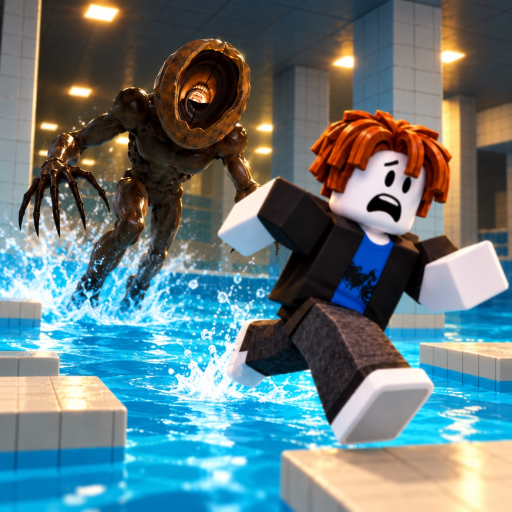
Image: official Roblox game page icon, retrieved October 29, 2026.
How to Play DONT SPLASH: Your First 10 Minutes (Lobby, Difficulty, Spawn)
Getting into the game takes about a minute: open the official Roblox game page, press play, and Roblox drops you into a public lobby — the game runs on standard public servers of up to 10 players, so there is no private-server option to set up or pay for. From there you choose a difficulty (the game has multiple; Easy is the confirmed entry mode, covered below) and spawn into the first room.
From spawn onward the loop is simple to understand and hard to execute:
- Cross the floating platforms through each flooded room — disturbing the water makes splashes.
- Keep the water calm. The game’s entire premise, in the official description’s own translated words, is “Don’t splash. It knows.”
- Use the room’s tools. Community walkthroughs describe throwable Pebbles that split the monster’s attention, Valve machines that change the water, and flare pickups for emergency escapes — all covered in the monster and Coins sections below.
- Reach the Final Room to complete the run and bank your Coins for upgrades.

How to Play DONT SPLASH Roblox Full Guide — VendoPlus
The full-guide video above walks the whole loop end to end — worth watching your first run before you play it.
What Are the Controls? (Movement, Camera and Third-Person View)
The game has no documented control scheme of its own: the official page lists none, and every walkthrough video plays it with the standard Roblox setup. That makes the defaults below the operating manual until the developer publishes or changes anything:
| Input | Action | Status |
|---|---|---|
| W / A / S / D | Move | Standard Roblox control |
| Space | Jump | Standard Roblox control |
| Right mouse button (hold + drag) | Rotate the camera | Standard Roblox control |
| Mouse scroll | Zoom the camera in / out | Standard Roblox control; first-person zoom not verified in this game |
| Shift Lock Switch | Camera-relative movement | Standard Roblox control; not observed in reviewed footage |
On the camera question every new player asks: yes, the game is played in third person by default — every gameplay video shows the classic Roblox over-the-shoulder view — and a horror-channel overview of the game (BemmyBlock) explicitly mentions testing different camera perspectives, which points to the camera being adjustable rather than locked. Whether you can scroll all the way into first person has not been verified.
How Do You Play DONT SPLASH With Friends?
Here is the part that surprises everyone: you cannot create a private server. The official Roblox API reports createVipServersAllowed: false for this game (verified October 29, 2026), so the usual “buy a VIP server and invite friends” route does not exist here. Playing together works through the friends list instead:
- Everyone adds each other as Roblox friends (one-time setup).
- One player joins a public server from the game page.
- The rest open their friends list, find that friend’s active session, and press Join.
- You all land in the same server — up to 10 players fit per server, so a full friend group squeezes in.
Co-op is more than sharing a server, though. The official game media shows a player pulling a drowning teammate out of the water with a rope while the monster closes in — so keeping your squad out of the water and pulling each other through is part of the intended experience, not an accident of 10-player servers.
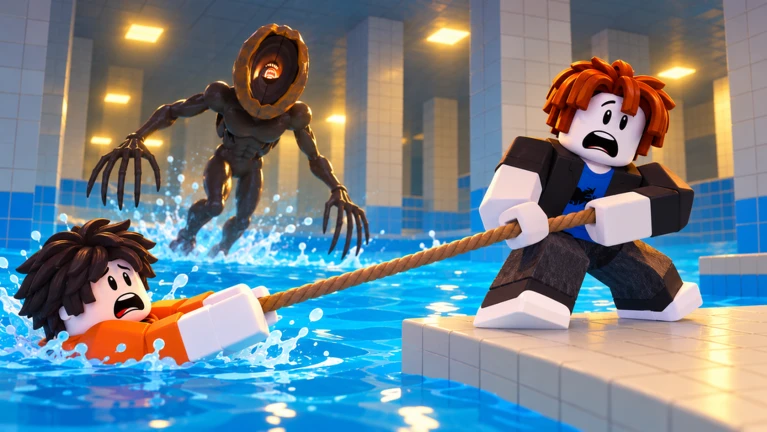
Image: official Roblox game page media, retrieved October 29, 2026.
How Does the Monster Work? It Knows When You Splash
The monster — the one-eyed, long-clawed creature wading through every official image of the game — is the reason for the game’s name. The official description is, in translation, just “Don’t splash. It knows.”, and creator testing backs the premise up: BemmyBlock’s overview of the game confirms that making a splash attracts the creature, that it hunts across multiple difficulty settings, and that surviving is about managing what the water tells it.
Everything we can say about the monster, with its evidence level:
| What we know | Evidence level |
|---|---|
| Splashing attracts it | Official premise + creator testing |
| It wades through the flooded rooms | Official game media |
| Difficulty settings change how it hunts | Creator testing (Easy confirmed; full tier list unverified) |
| A documented solo Easy run faced 3 monsters | Creator video title, Oct 2026 |
| What happens when it catches you | Not documented — we will not guess |
| Throwable Pebbles split its attention | Community-reported, needs in-game confirmation |
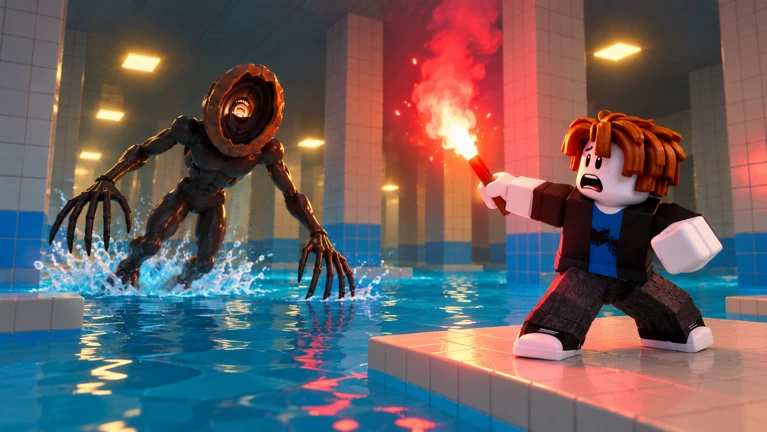
Image: official Roblox game page media, retrieved October 29, 2026.

DONT SPLASH Guide! (Full Walkthrough) ROBLOX — ItzVexo
The full walkthrough above shows the monster’s behavior across several rooms — watch how the players time their crossings rather than race it.
How Do You Beat DONT SPLASH? Room-by-Room to the Final Room
A full run is a room gauntlet, and the best evidence for its shape is a community speedrun published October 26, 2026 (El Mishi Triste) whose chapter list breaks the game into numbered rooms from spawn to the ending:
| Room | Speedrun chapter starts at |
|---|---|
| Room 1 | 0:00 (from spawn) |
| Room 2 | 1:20 |
| Room 3 | 2:21 |
| Room 4 | 4:00 |
| Room 5 | 8:09 |
| Room 6 | 9:36 |
| Room 7 | 13:11 |
| Final Room | 14:33 — roughly 15 minutes total at speed |
Two honest caveats before you treat that as gospel. First, the timestamps come from one skilled player’s run: the pattern worth copying is that later rooms eat most of the run even at speed (from Room 4 onward, each crossing takes minutes, not seconds), not that you will clear them this fast. Second, the room count is not officially documented — this speedrun counts 7 numbered rooms plus a Final Room, while other community sources (and our own site tagline) describe nine poolroom stages. We present both readings with their sources instead of picking one.
Why do the room counts differ? (7 + Final Room vs 9 stages)
Two readings circulate because both come from community footage, not from the developer: walkthrough chapter lists add up to 7 numbered rooms plus a Final Room, while keyword summaries of other guide videos refer to “9 stages” of poolrooms. The game has also been patched repeatedly since launch (last update October 28, 2026), so the map may have changed between videos. Until the full map can be walked and verified, this page shows both counts rather than guessing.

DONT SPLASH - Full Game Walkthrough + Ending (Roblox) — ItsChalls
The walkthrough above includes the ending, so you can see what the Final Room asks of you before you reach it — skip it if you would rather go in blind.
What Do Coins and Upgrades Do?
There is a real economy under the survival, not just a score counter. Creator guides published across the game’s first two weeks converge on the same loop: runs earn Coins, Coins buy upgrades, and upgrades plus equipment help you bypass obstacles — which is why “best upgrades” and “fast coins” are already their own genre of guide video for this game.
| System | Confirmed | Not documented (yet) |
|---|---|---|
| Coins | Earned in runs; the core currency | Farm rates, per-room payouts |
| Upgrades | A purchasable system that changes runs | The upgrade list, prices, best first picks |
| Equipment | Flares visible in official media; Pebbles community-reported | Exact effects and shop prices |
The red flare in the official image below is the clearest equipment example — creator guides describe burning one to buy a corridor of safe time when a crossing goes wrong. What every item costs, and which upgrades are worth buying first, is exactly the kind of detail that changes with patches (the game has updated almost daily since launch), so we list prices and upgrade picks only after verifying them in-game.
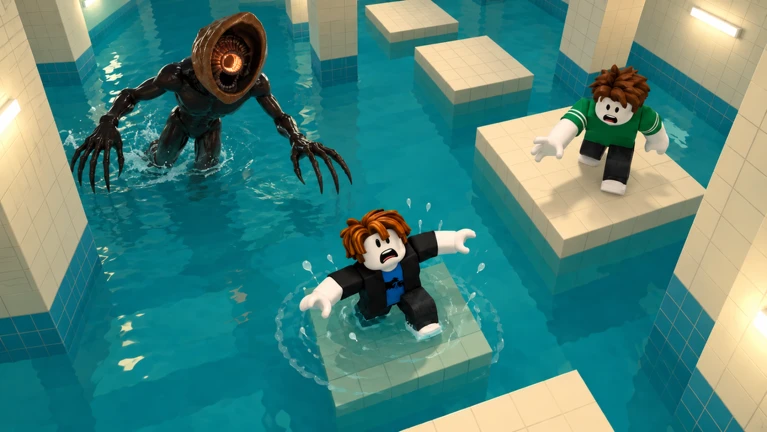
Image: official Roblox game page media, retrieved October 29, 2026.
One economy note while you grind: as of our latest check there are no working redeem codes for the game — the only way to fund upgrades is runs. Our codes tracker documents exactly why, and updates the moment that changes.
Beginner Tips: 7 Mistakes That Get You Splashed
Every mistake below traces back to something documented in this guide — no folklore, no unverified tricks:
- Treating it like a normal obby. Momentum is the enemy: charging through water makes splashes, and splashes summon the monster. Cross deliberately.
- Skipping the difficulty choice. Easy is the confirmed entry difficulty — one documented solo Easy run faced three monsters — so start there while you learn the rooms.
- Playing alone when friends are online. There are no private servers, but the friends-list join flow works, and a squad pulls each other (literally, with rope) out of trouble.
- Leaving a drowning teammate behind. Rope rescues appear in the official media; a full squad survives longer than a shorthanded one.
- Forgetting your equipment. Flares buy escape time when a crossing goes wrong (official media + creator guides); community reports add throwable Pebbles that split the monster’s attention.
- Trusting room knowledge from older videos. The game is patched almost daily (last update October 28, 2026) and community sources already disagree on the room count — recheck a current walkthrough after each update.
- Trusting “code list” sites. There are no working codes yet; anything claiming otherwise is farming your click. Earn Coins in runs, and let our codes page tell you when that changes.
More room-specific routes, difficulty breakdowns and upgrade recommendations will land in the guides hub as we verify them in-game. Bookmark the DONT SPLASH Wiki homepage — the game is updating almost daily right now, and every page on this site carries the date it was last verified.
Related Articles
badges
DONT SPLASH Badges — Full List & How to Get Them (2026)
DONT SPLASH has zero Roblox badges as of October 29, 2026 — confirmed against the official Roblox API with a control test. How badges will work if they ever arrive.
codes
DONT SPLASH Codes (October 2026) — All Working Codes & How to Redeem
No working DONT SPLASH codes exist as of October 29, 2026 — we checked YouTube, Reddit and the official page. ILOVEWATER is unverified. Redemption steps included.
guides
DONT SPLASH All Rooms Walkthrough — Every Poolrooms Stage Step by Step
Every DONT SPLASH room in order — the nine-stage map with timestamps, what the October 28 update changed, Halloween update status, and per-room survival help.
Was this helpful?
Thanks for the feedback!